

On November 10, 2026, OpenAI introduced Businesses in ChatGPT, a new way for businesses to claim their profiles, manage information and access insights into how people engage with them on ChatGPT.
As a Google Business Profile and local SEO specialist, I was naturally curious about how this new system worked. Rather than simply reading the documentation, I decided to claim my own business, Allan Danilo – Digital Business Profile, and document the experience.
I started the process on November 20 and received confirmation of approval by November 26, 2026.
In this guide, I’ll walk you through the actual steps I followed, including the verification methods I was offered, the identity checks I completed, and what I found inside Business Hub after approval.
Important: This is a real-world example from Spain. The options available to other businesses may differ depending on their location, industry and eligibility.
What is Businesses in ChatGPT?
Businesses in ChatGPT is a beta feature that allows eligible businesses to claim and manage their business information within ChatGPT.
Through Business Hub, business owners and authorized representatives can access features such as:
- Claiming an existing business profile.
- Verifying their connection to a business.
- Updating business information.
- Viewing aggregated insights, including mentions and website clicks.
- Managing product information, where supported.
- Creating Business Agents, if eligible.
OpenAI originally announced the feature on November 10, 2026. On November 19, it expanded eligibility to ecommerce and online service businesses based outside the United States.
However, eligibility and feature availability still depend on the type and location of the business.
Is this the same as Google Business Profile?
Not exactly.
Google Business Profile allows businesses to manage their presence across Google Search and Maps. Businesses in ChatGPT offers a different management environment within OpenAI’s ecosystem.
Both systems involve business information and verification, but their features, requirements and underlying discovery experiences are not identical.
For comparison, I’ve also written about Google Business Profile video verification, which follows a very different procedure.
It’s also important to understand that claiming a profile does not guarantee better visibility in ChatGPT recommendations.
1. Find your business on ChatGPT
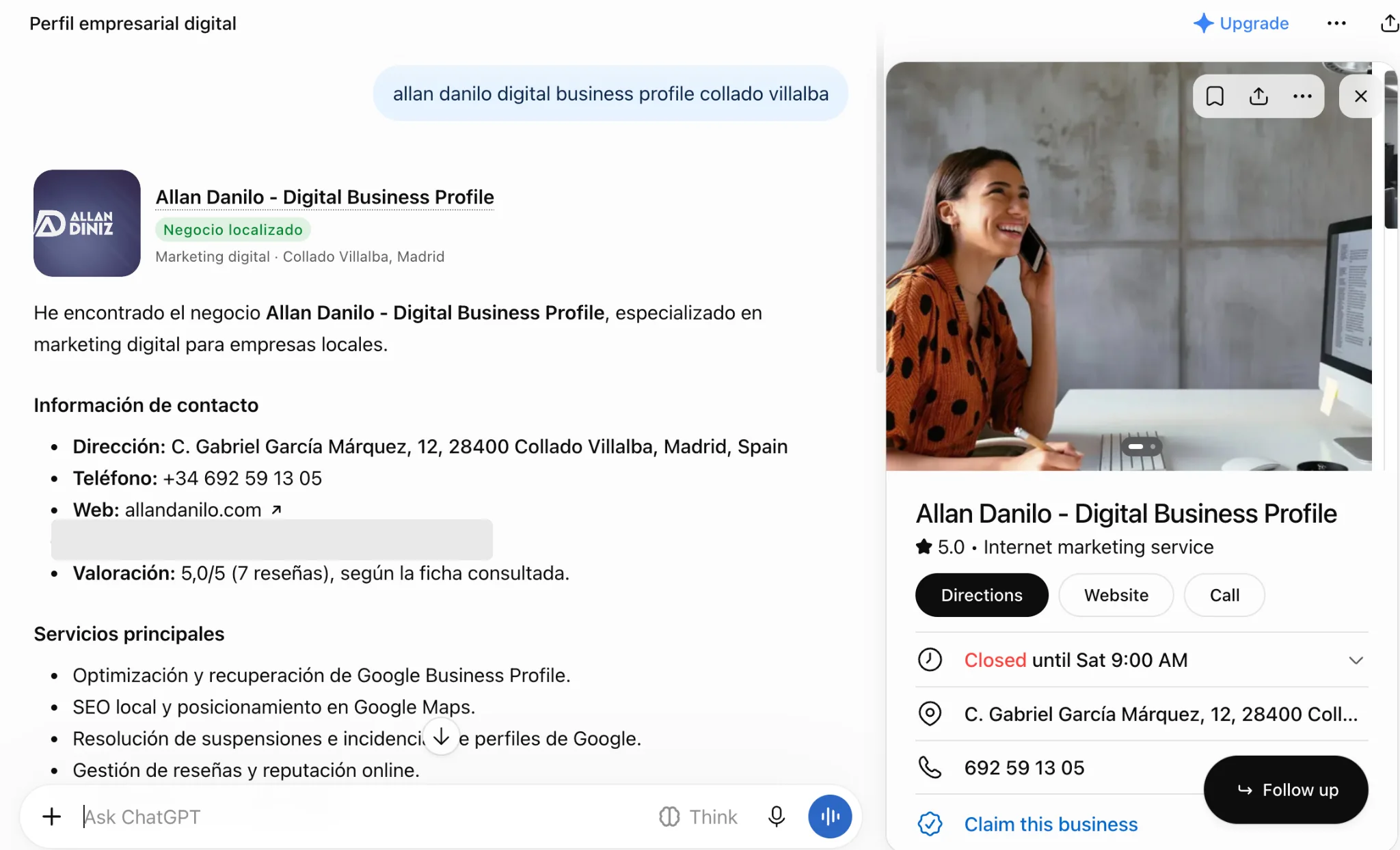
My first step was straightforward: I searched ChatGPT for my business name, Allan Danilo – Digital Business Profile, together with my location in Collado Villalba, Madrid.
Interestingly, ChatGPT already had information about my consultancy.
A business panel appeared with details such as:
- Business name and category.
- Address and contact information.
- Opening hours.
- Website link.
- Google rating and reviews.
ChatGPT also generated a more detailed description of my services, including Google Business Profile management, local SEO, online reputation, advertising and analytics.
Some of that information was supported by external sources, including business directories, LinkedIn and articles about my professional activity.
This was my first interesting observation: my business was already appearing in ChatGPT before I had claimed its profile.
At the bottom of the business panel, I found the option Claim this business.
2. Start the business claim process
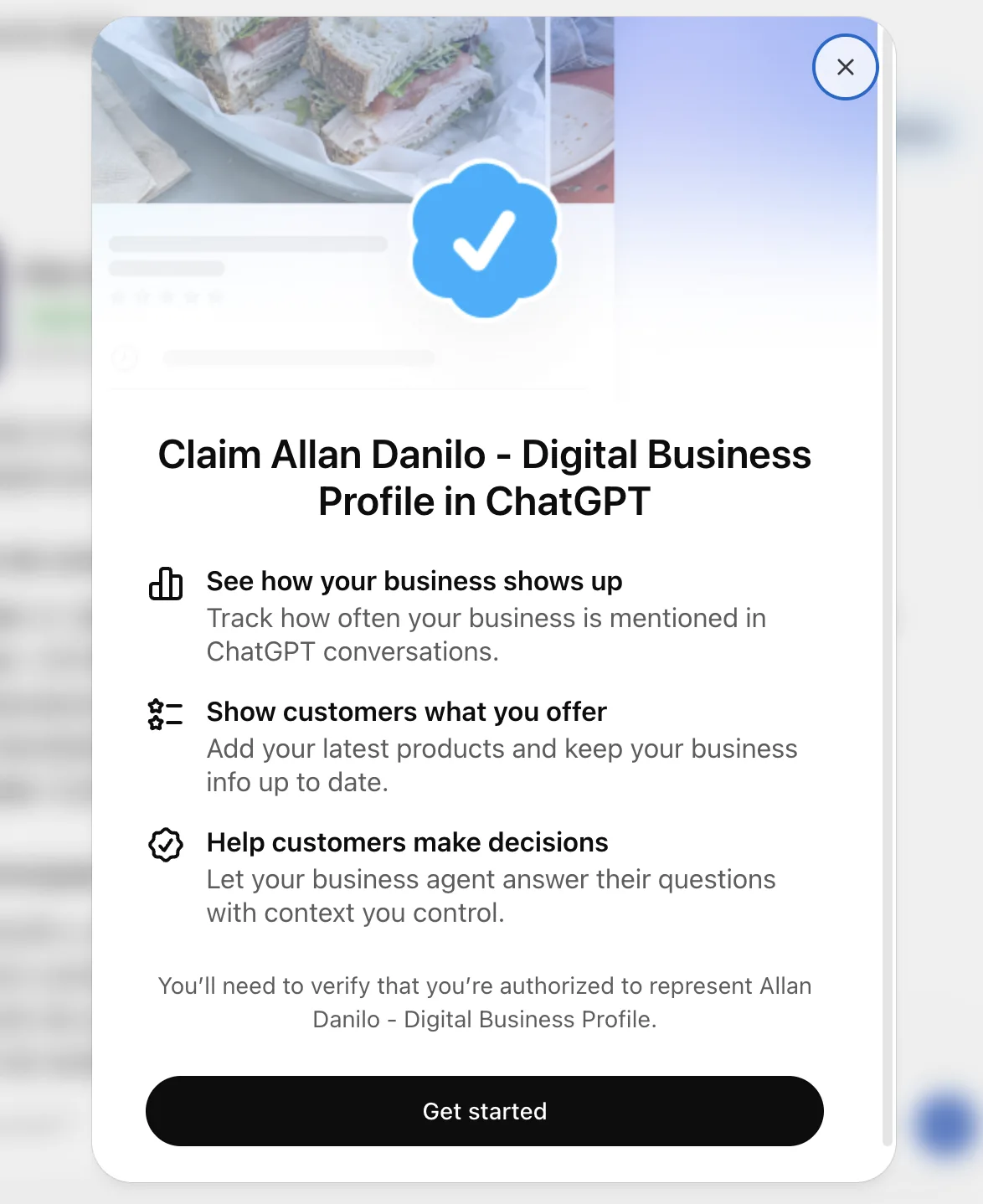
After clicking Claim this business, ChatGPT displayed an introductory screen explaining the potential benefits of claiming a profile.
These included understanding how people discover the business, keeping information up to date and using Business Agents when available.
I clicked Get started to continue.
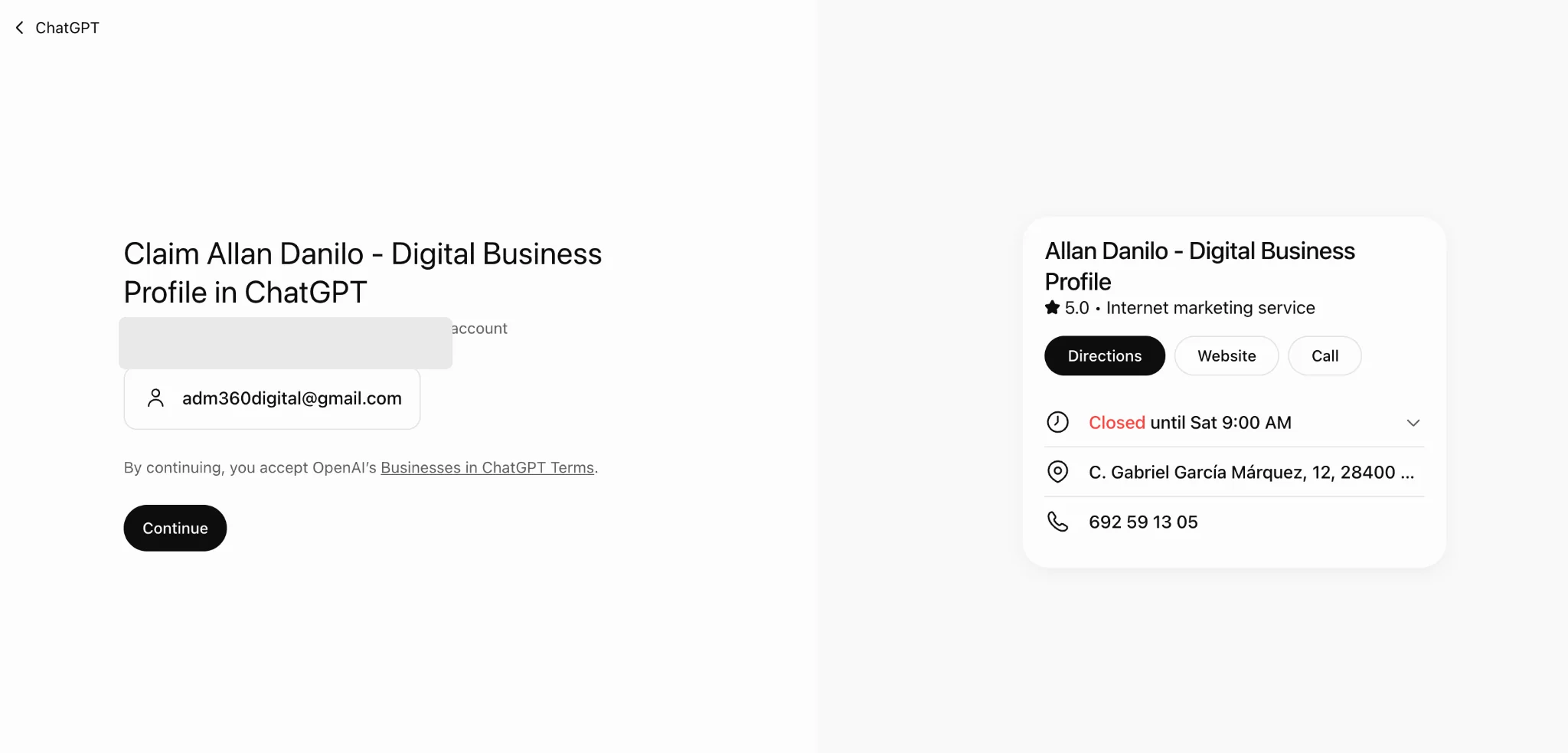
The next screen asked me to confirm which ChatGPT account I wanted to use to manage the business.
I continued with my existing account and accepted the relevant business terms.
3. Choose a business verification method
Next, OpenAI needed to confirm that I was authorized to represent the business.
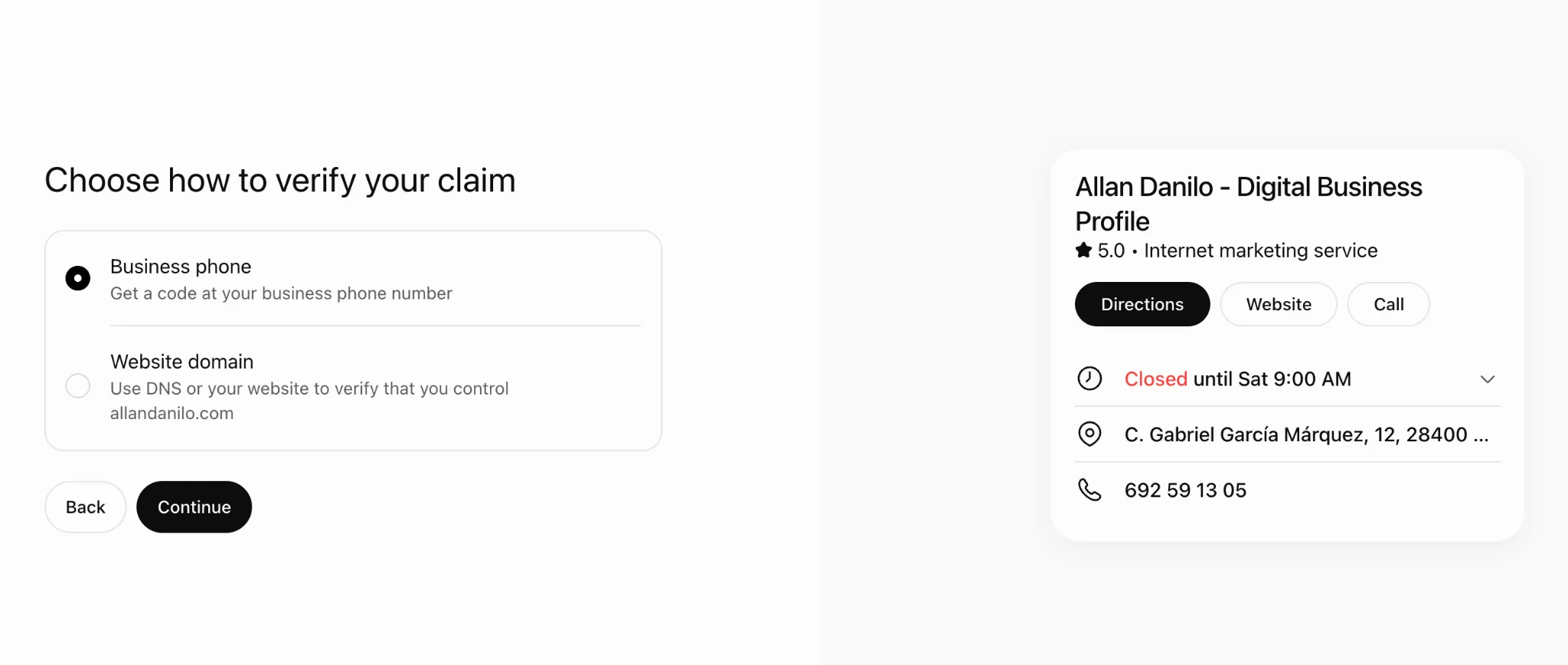
In my case, ChatGPT offered two initial verification methods:
- Business phone: Receive a verification code using the phone number associated with the business.
- Website domain: Prove control of the business website.
Website domain verification
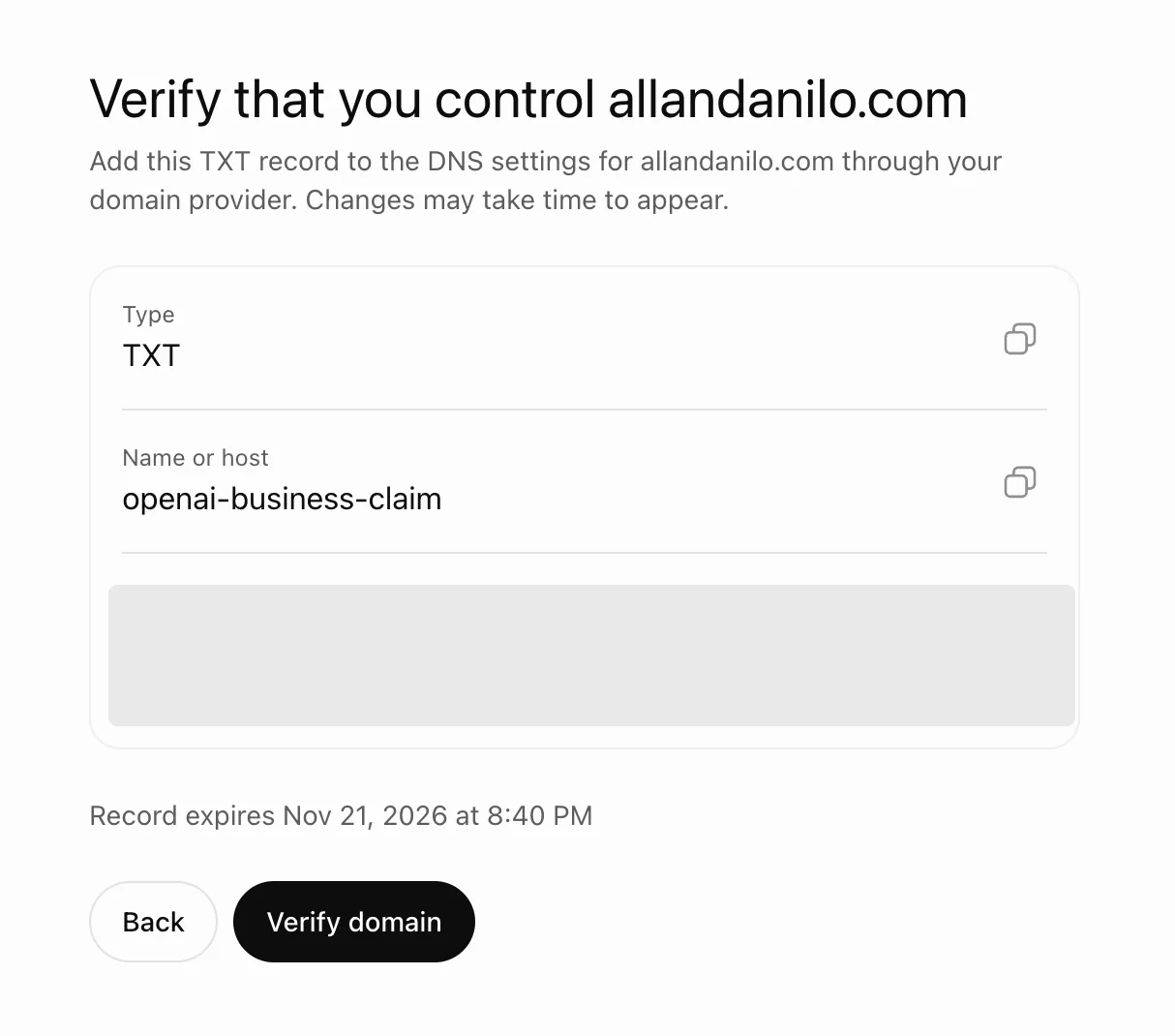
I explored the domain verification option first.
ChatGPT displayed instructions for adding a TXT record to my domain’s DNS settings, including a specific host and verification value.
For someone familiar with managing websites, this is a relatively straightforward procedure. However, it requires access to the domain’s DNS configuration and may involve propagation delays.
I did not complete verification through DNS. I only checked the instructions before returning to the available methods.
My choice: WhatsApp verification
I eventually chose the business phone verification method.
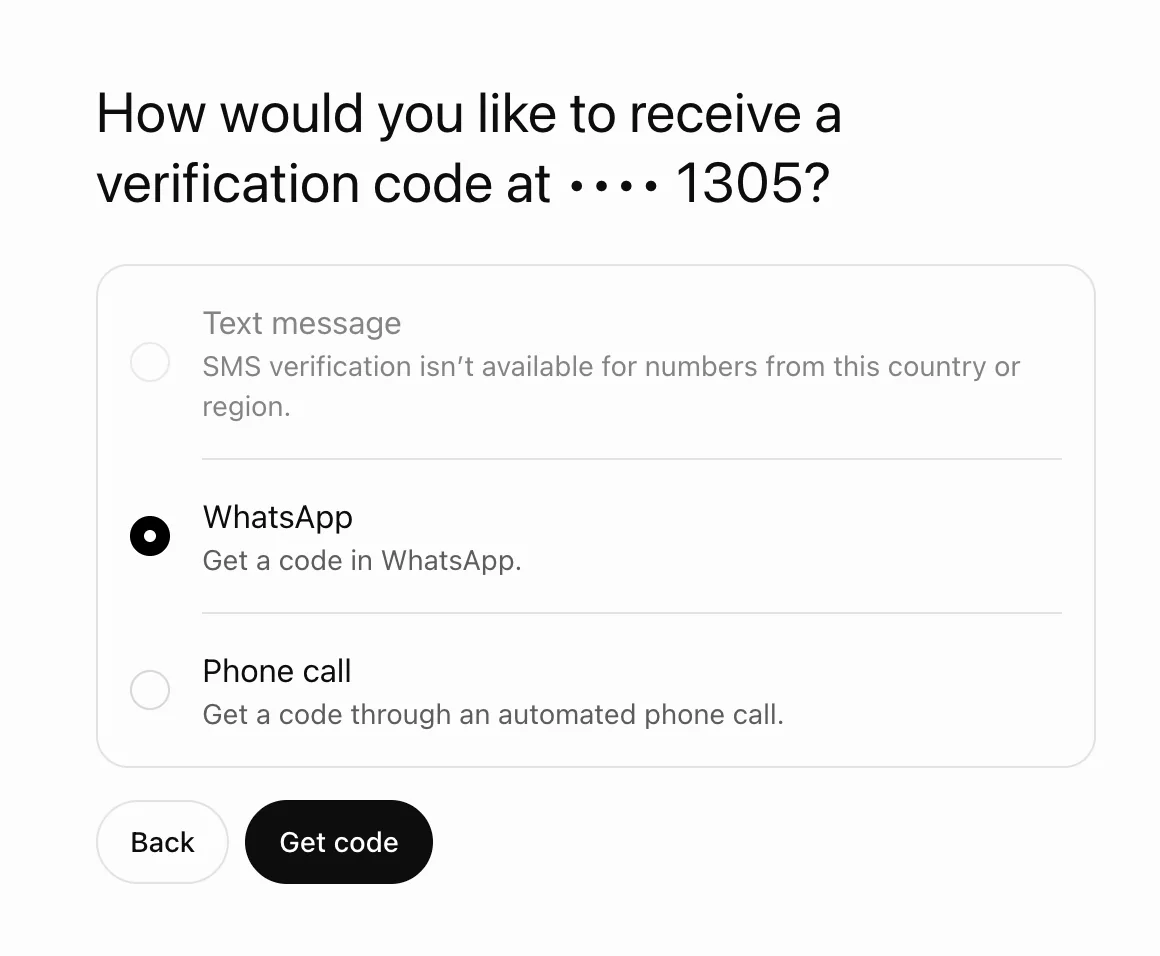
The following screen displayed three possible ways to receive the code:
- Text message (SMS).
- WhatsApp.
- Automated phone call.
There was one detail worth noting: SMS verification was unavailable for my Spanish phone number.
ChatGPT displayed a message indicating that SMS verification was not supported for numbers from that country or region.
WhatsApp and automated phone calls were available, so I selected WhatsApp.
I received the verification code through WhatsApp and used it to continue the claim.
As a result, I was able to verify my connection to the business without making any changes to my website or DNS settings.
4. What happens after submitting your claim?
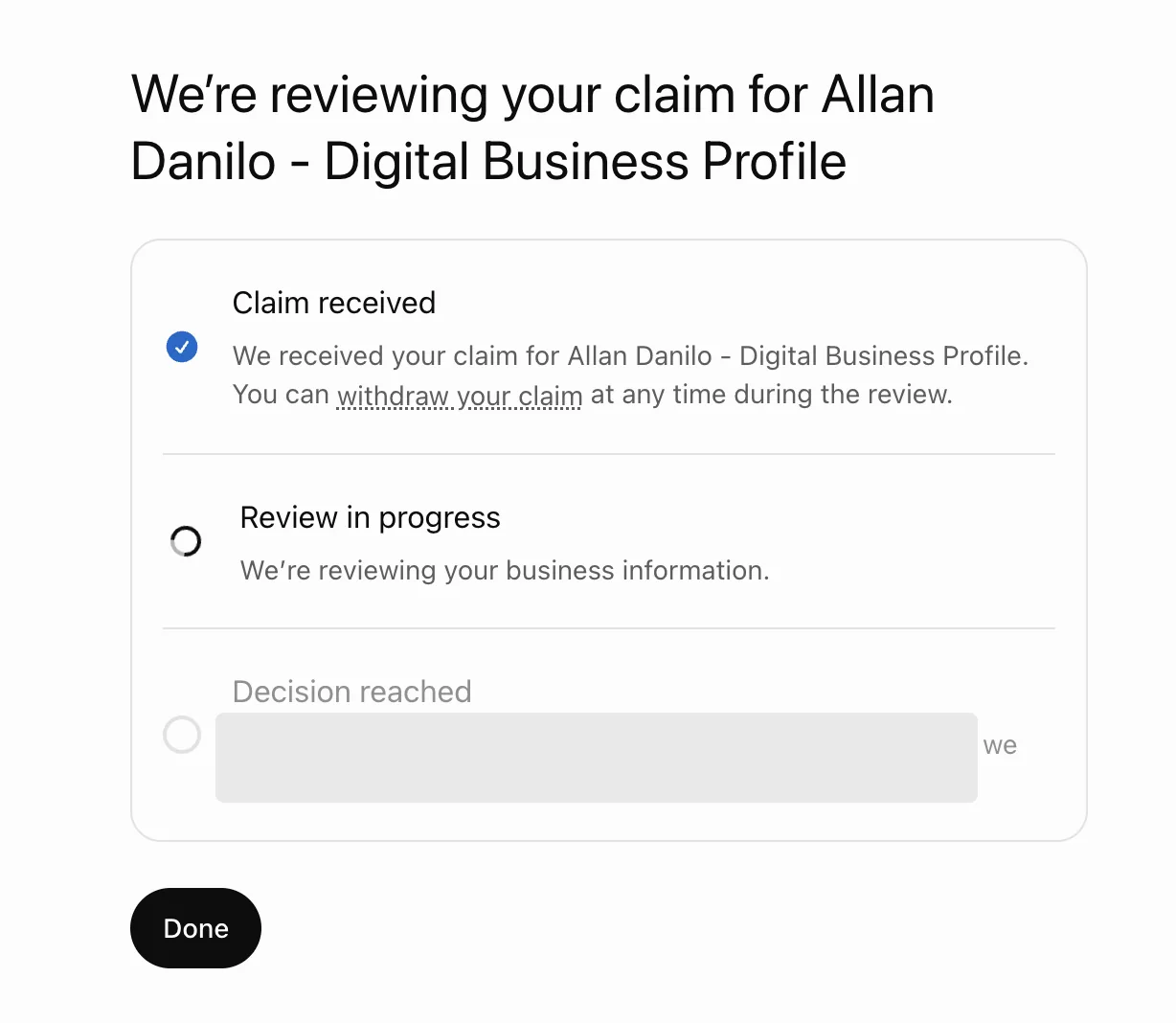
After completing the phone verification, ChatGPT confirmed that my claim had been received.
The interface displayed three stages:
- Claim received: OpenAI has received the request.
- Review in progress: The business information is being reviewed.
- Decision reached: OpenAI has made a decision and will notify the account holder.
My request was submitted on November 20, 2026, and initially remained under review.
The confirmation screen explained that OpenAI would communicate its decision by email or request additional information if necessary.
5. A second verification step: confirming your identity
One of the most important things I learned during the process was that business claim verification and personal identity verification are separate steps.
After starting the claim, a new Business section appeared under Explore in my ChatGPT sidebar.
Previously, that area had only displayed Maps.
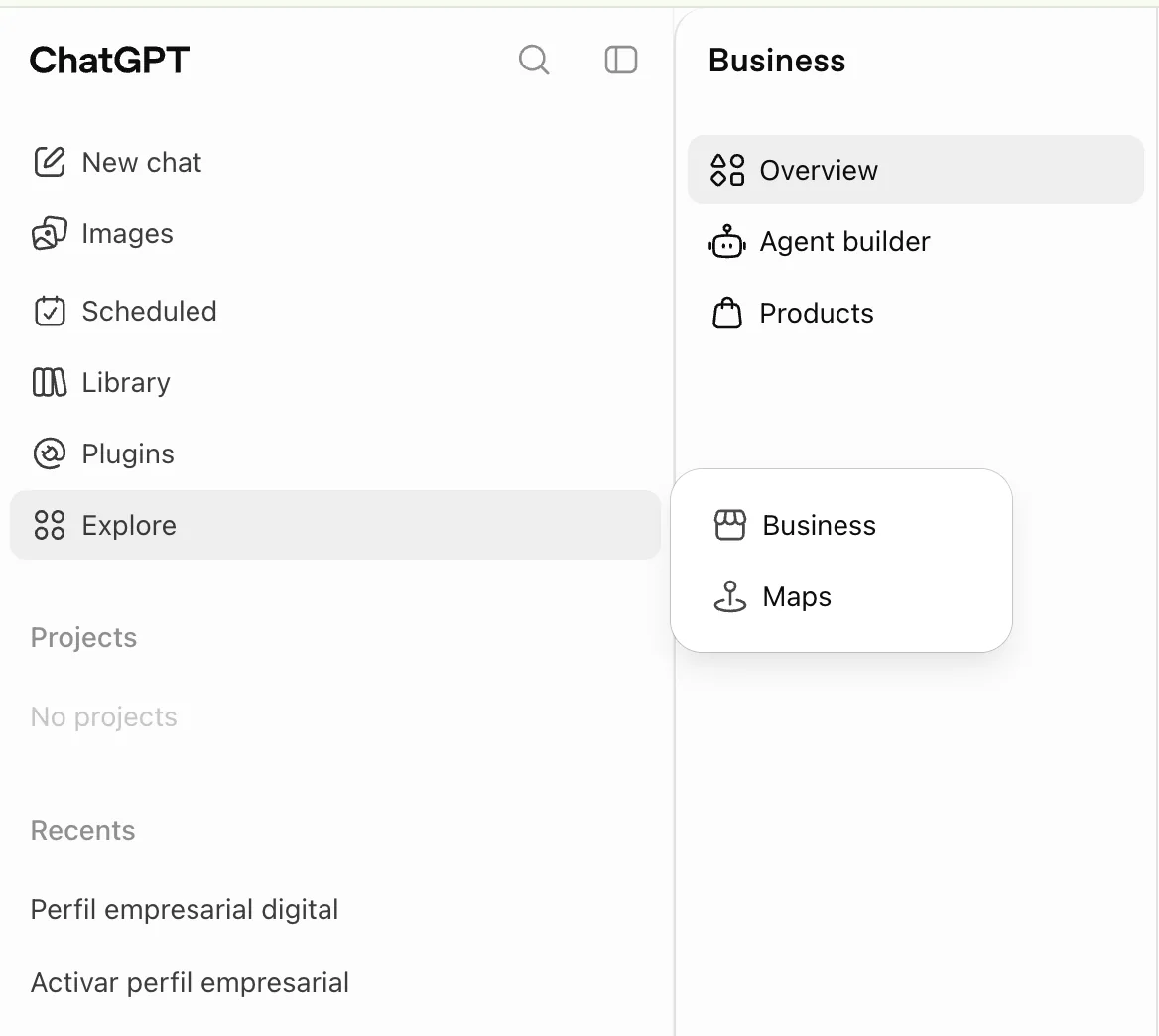
I could now access the business dashboard, but a notification indicated that I needed to verify my identity before editing business information or publishing a Business Agent.
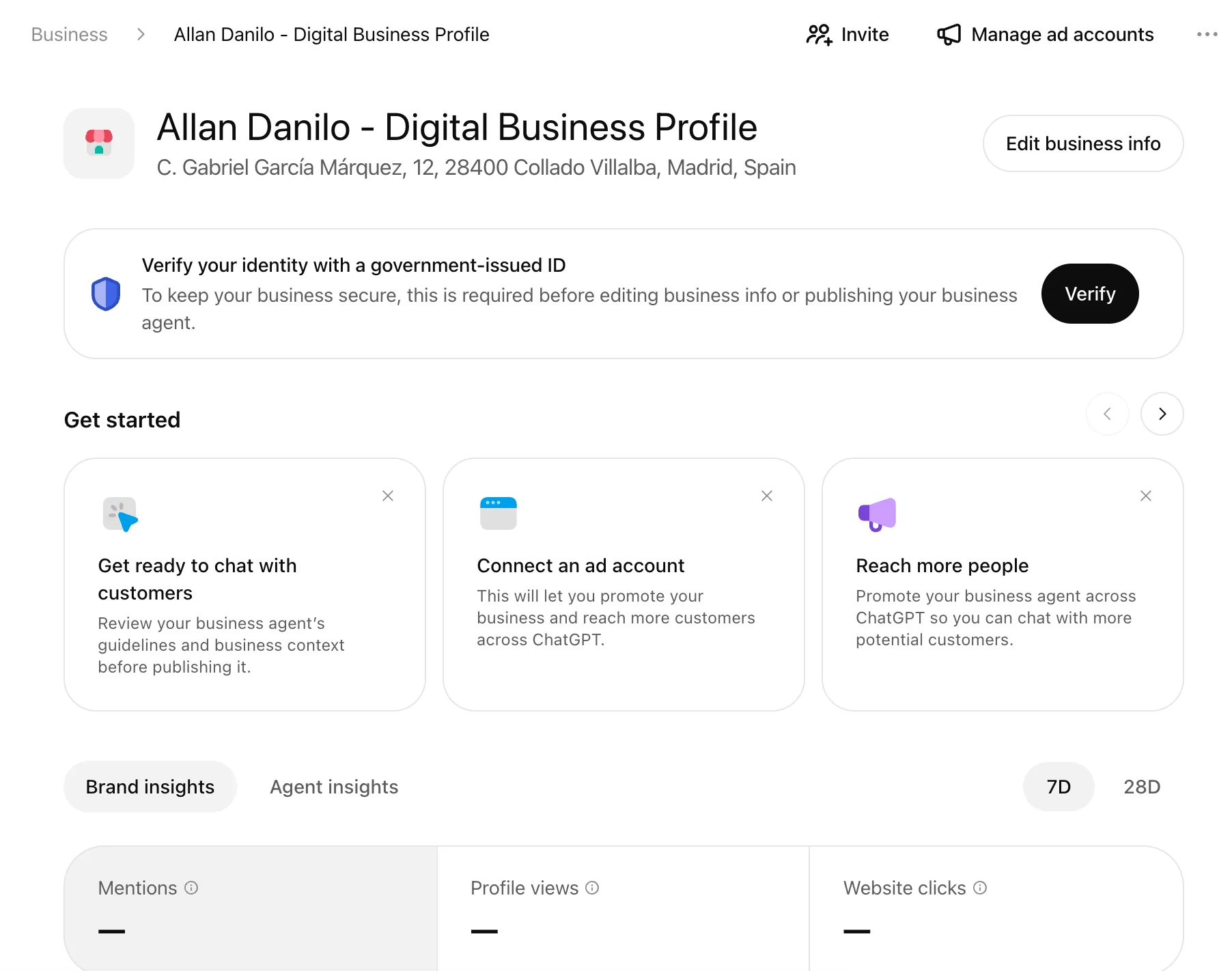
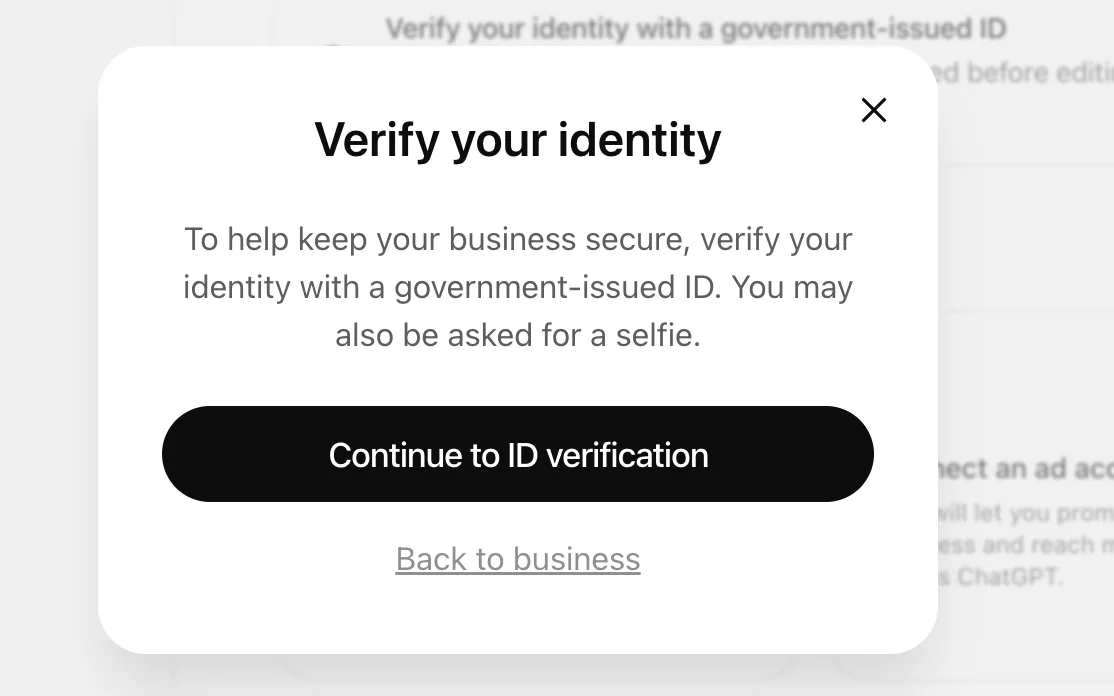
The verification process required a government-issued identity document and warned that a selfie might also be requested.
For my verification, I used my Spanish national identity card (DNI).
Why does ChatGPT require two verification steps?
The two checks serve different purposes:
- Business claim verification establishes your connection to the business, for example through its phone number or website domain.
- Identity verification confirms the identity of the person managing the business.
According to OpenAI’s documentation, identity verification is handled through Persona and is necessary before certain management features can be used.
Completing the initial phone or domain verification therefore does not necessarily mean the entire setup process is finished.
6. How long does ChatGPT business verification take?
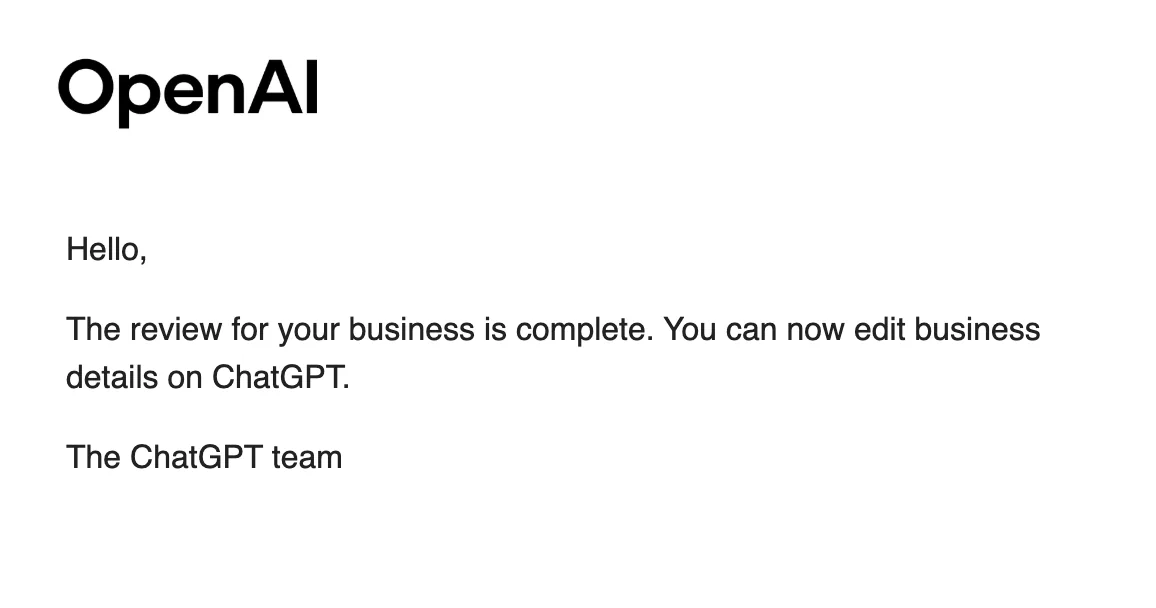
On November 26, 2026, I had received confirmation from OpenAI that the business review was complete.
The email stated that I could now edit my business details on ChatGPT.
When I returned to Business Hub, the identity verification notice had disappeared, and the dashboard now displayed an Edit button.
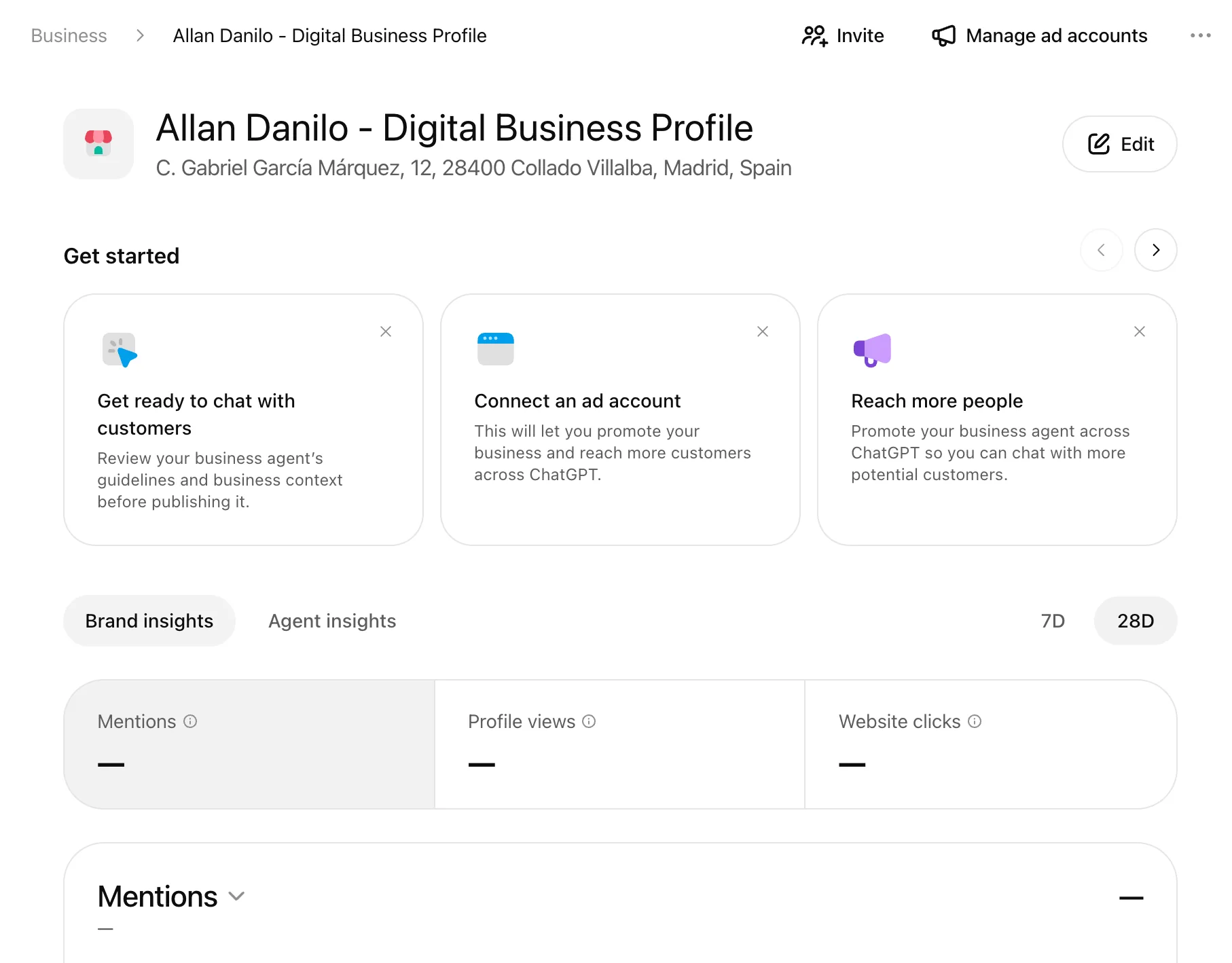
There were six calendar days between submitting my claim and the documented approval.
This does not mean the internal review necessarily lasted six full days. It simply reflects the timeline I can confirm from my own records.
It should not be interpreted as an official processing time or an approval guarantee.
7. What can you do after verifying your business?
Once my business was approved, I explored the different sections of Business Hub.
Although some features were already accessible, others remained unavailable for my business category.
Edit business information
After approval, I could access the business information editor directly from the dashboard.
OpenAI’s documentation describes options for updating information such as the business website, description, category and branding details.
However, changes may be subject to review and should not be assumed to appear immediately in every ChatGPT response.
Brand Insights: mentions, profile views and website clicks
The Overview section includes a dashboard with three metrics:
- Mentions: How often the business is mentioned in ChatGPT.
- Profile views: Views of the business profile.
- Website clicks: Clicks to the business website.
The interface provides seven-day and 28-day reporting periods.
During my first review, the dashboard displayed dashes instead of numerical results, so there was no performance data to analyze yet.
These are aggregated business insights, not access to individual users’ private ChatGPT conversations.
Business Agents: not available for every business
One feature I was particularly interested in was Agent Builder.
The idea of a business-specific conversational agent answering customer questions is worth exploring, particularly for businesses that receive frequent service enquiries.
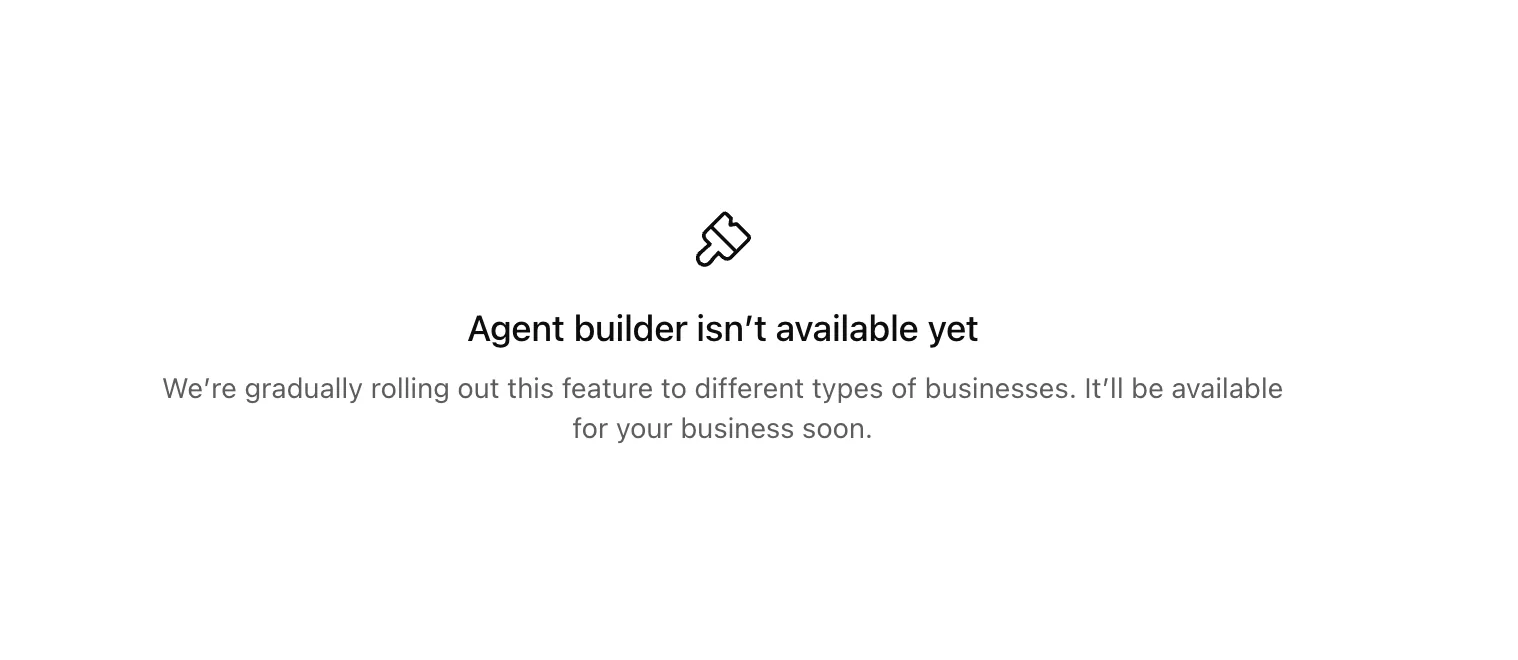
However, when I opened this section, ChatGPT displayed the message:
Agent builder isn’t available yet.
OpenAI explained that the feature was being rolled out gradually to different types of businesses.
Other professionals have confirmed to me that they already have access for certain business types. However, my digital marketing consultancy did not have this functionality enabled at the time of writing.
A verified business profile does not automatically mean that Business Agents are available.
Products and product feeds
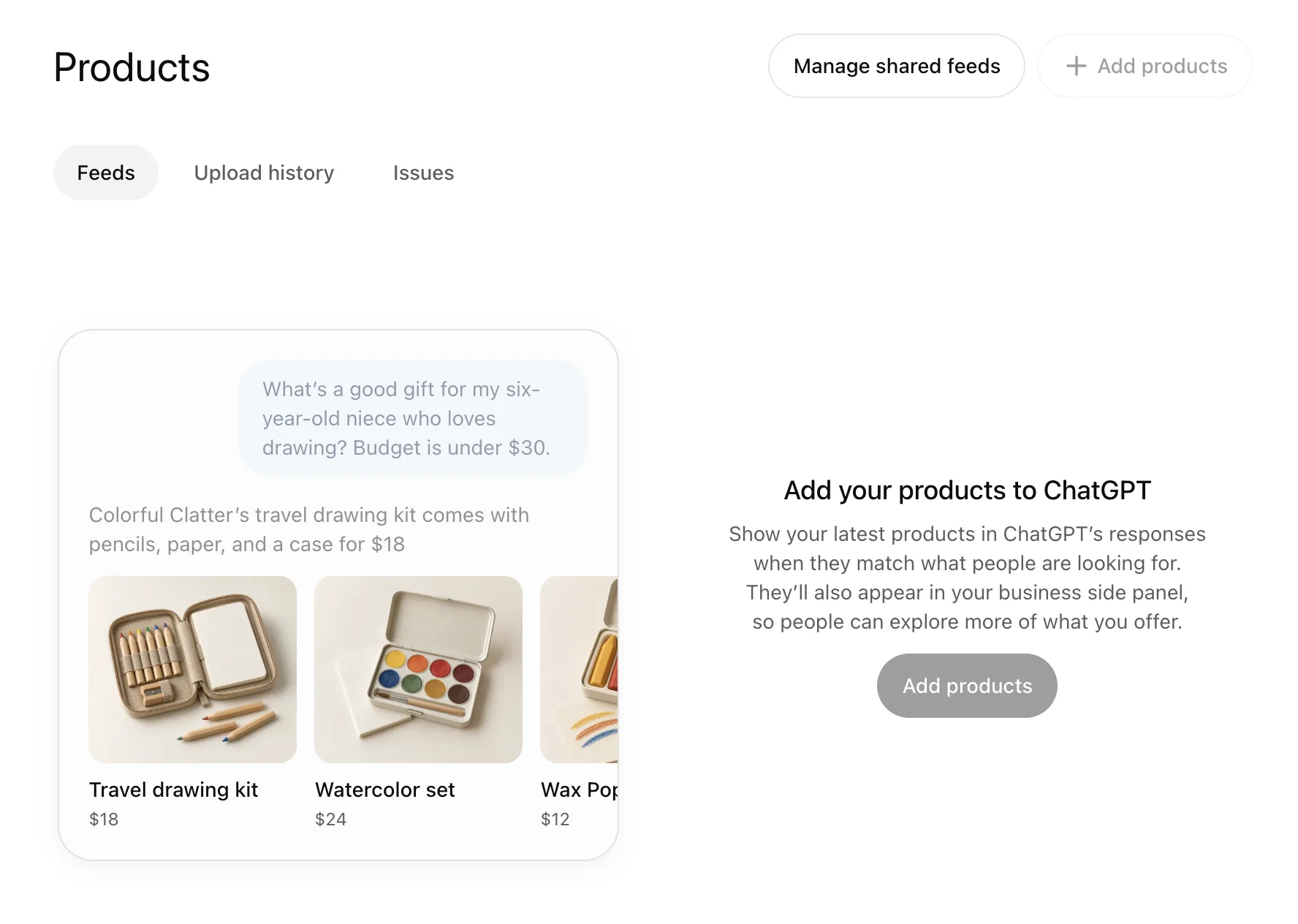
Business Hub also has a Products section, with areas such as:
- Feeds.
- Upload history.
- Issues.
- Manage shared feeds.
This area appears primarily designed for businesses managing product catalogs.
In my dashboard, the option to add products was disabled. As my business provides consulting services rather than a conventional product catalog, this was not a priority for my initial setup.
Does verifying your business improve its visibility on ChatGPT?
This is probably the most important question from a local SEO and AI search perspective.
And the answer requires some caution.
Claiming and verifying your business does not guarantee that ChatGPT will recommend it more often or rank it higher.
OpenAI explicitly states that claiming a business does not change its visibility or give the owner direct control over ChatGPT’s independent recommendations.
What verification does provide is a way to establish your relationship with the business, contribute more accurate information and access eligible management features.
What about external business information?
My own experience raised another interesting question.
Before I claimed my business, ChatGPT already had information about my consultancy from external websites, directories and professional profiles.
This connects with a familiar concept in local SEO: local citations and NAP consistency.
Keeping business information accurate and consistent across relevant sources can help avoid confusion about a company’s identity and contact details.
However, we should not assume that Google’s local ranking factors work in the same way in ChatGPT.
There is still much to learn about how business-provided information, external sources and AI-generated recommendations interact.
Frequently asked questions
Can I claim my business on ChatGPT outside the United States?
Yes, eligible businesses outside the US can claim their profiles where the functionality and required verification methods are supported.
My consultancy in Spain successfully completed the process in November 2026. However, eligibility still depends on the business type, location and OpenAI’s requirements.
Do I need a Google Business Profile?
OpenAI does not list having a Google Business Profile as a universal requirement for claiming a business on ChatGPT.
You must be authorized to represent the business and complete the applicable verification process.
Can I verify my business through WhatsApp?
I was able to use WhatsApp for my Spanish business phone number.
This does not guarantee the same option will be available for every country, business or phone number.
Do I need to verify my website domain?
Not necessarily.
OpenAI offered domain verification as an alternative in my case, but I completed the business verification using WhatsApp without modifying any DNS records.
Do I need to verify my personal identity?
Yes, identity verification may be required to use key management features.
OpenAI uses Persona for this step. In my case, I initiated the verification using my DNI.
Is it free to claim a business on ChatGPT?
OpenAI does not require an advertising account or a ChatGPT Enterprise agreement simply to claim an eligible business.
Additional features and advertising services may have separate requirements or terms.
Will claiming my business make it appear more often?
No increase in visibility is guaranteed.
ChatGPT continues to make independent recommendations, regardless of whether a business has been claimed.
Can all verified businesses create Business Agents?
No. Business Agents have separate eligibility requirements and are being rolled out progressively.
My business profile was verified, but Agent Builder was not yet available for my category.
Final thoughts: a promising tool, but not a new ranking shortcut
Claiming my business on ChatGPT was a relatively straightforward process.
I found an existing profile, verified my connection to the business through WhatsApp, completed an identity check and received approval to manage my business information.
The experience also highlighted some important limitations, particularly around the availability of Business Agents and the lack of initial performance data.
As someone working in Google Business Profile and local SEO consulting, I find the evolution of these business management tools particularly interesting.
But I would not treat profile verification as a shortcut to better visibility in AI-generated recommendations.
For now, the most useful approach is to understand what the platform actually allows, keep business information accurate and evaluate its performance as more data becomes available.
I’ll continue documenting what I discover as I explore editing options, Business Insights and other features.
Have you tried claiming your business on ChatGPT? I’d be interested to hear which verification methods were available to you and whether your business already has access to Agent Builder.